

Description
Solar Wave – One of our most loved indicators
Let’s walk through how you can use Solar Wave effectively in your trading, my friend:

1. Live-trading practice:
Practice with Solar Wave in real-time conditions. The more you see how it reacts to market movement, the more confident you’ll become in using it.
2. Tips for Solar Wave:
A few helpful pointers for getting the most out of it:
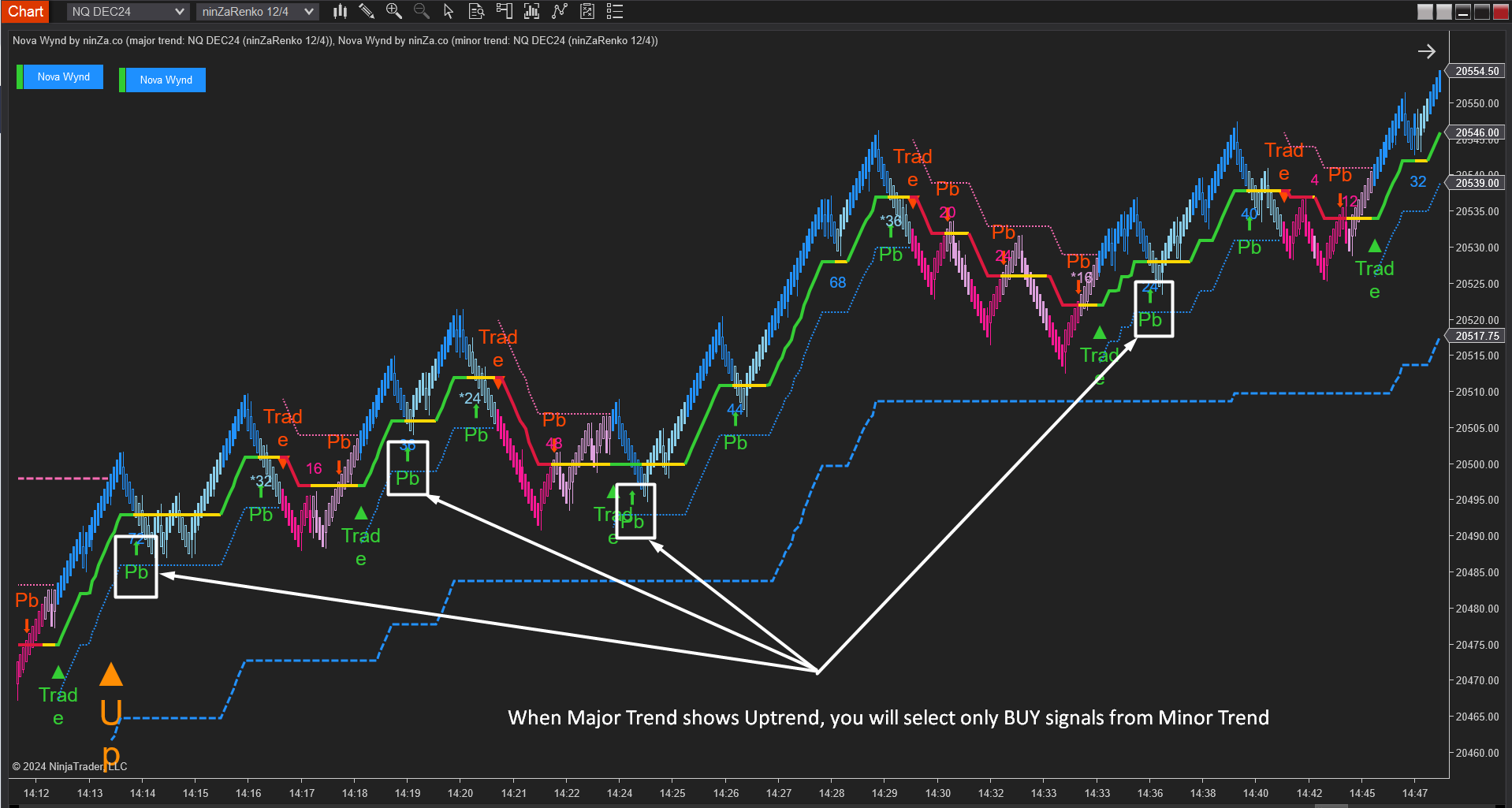
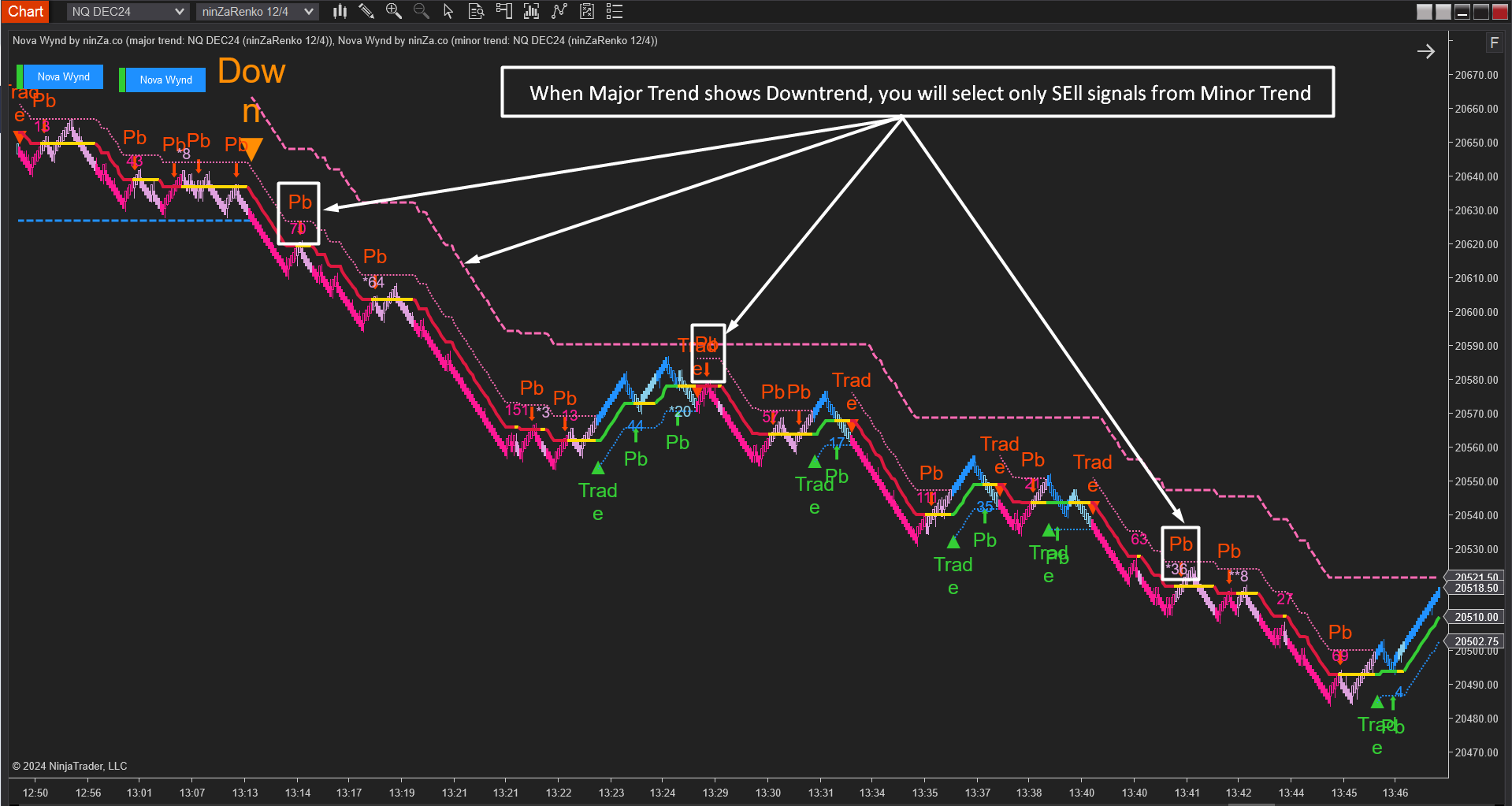


3. Smart combinations with Solar Wave:
Solar Wave becomes even greater when combined with other indicators:
3.1. Solar Wave + MA Crossover
3.2. Smart Escape + Solar Wave
3.3. Solar Wave + Multi-Timeframe Fu$ion
3.4. Solar Wave + Volume Delta
3.5. Solar Wave + Z-Pattern Triad
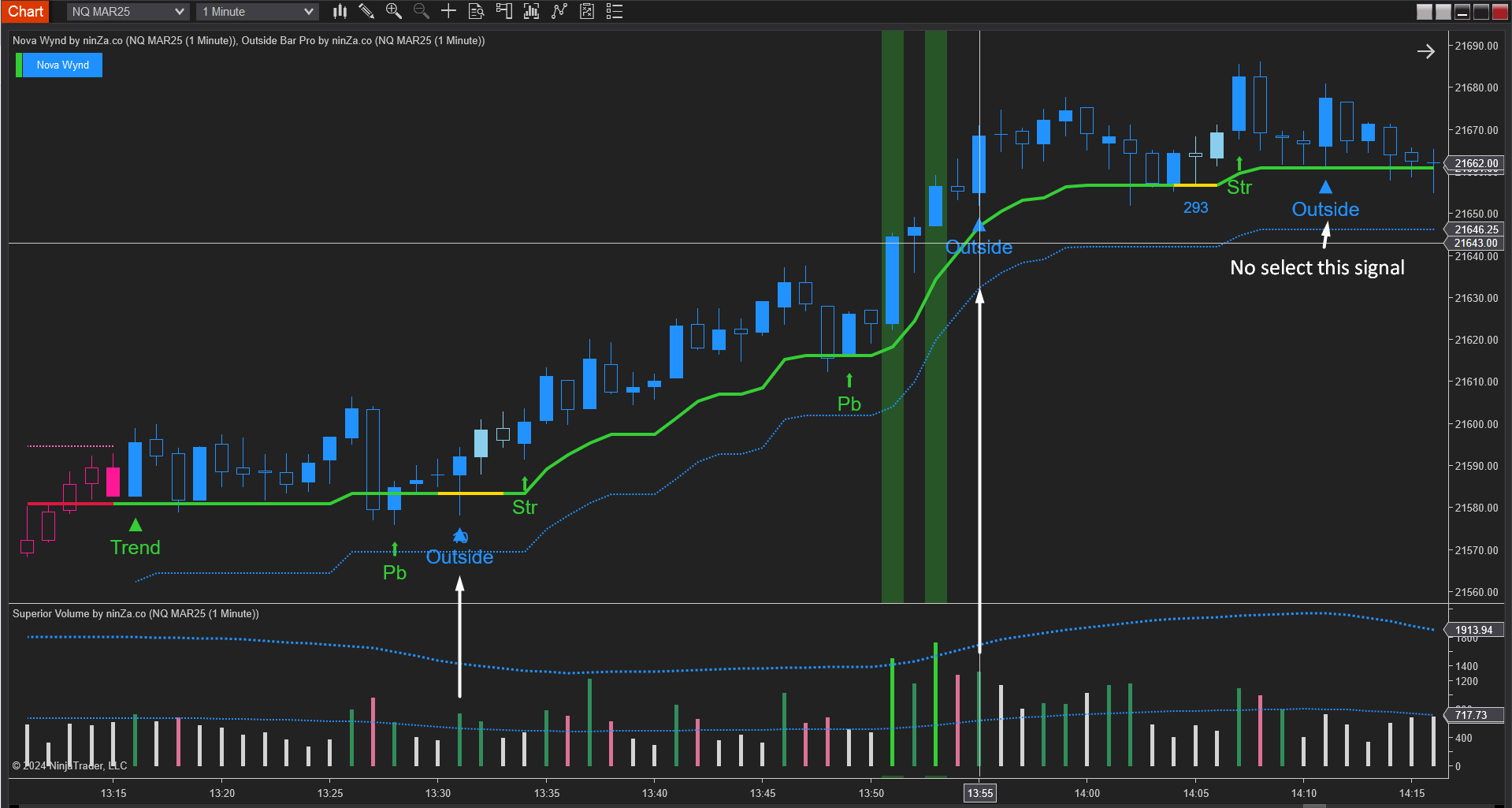
3.6. Solar Wave + Superior Volume + Outside Bar Pro


4. Build an Auto Strategy:
You can integrate Solar Wave into your own auto strategy through Strategy Builder, giving you a structured way to automate trade management.
5. FAQ:
Question 1: “After buy and spending lots of valuable time carrying out tests on many markets, today I saw an instance where the indicator plotted “Trade Short” and my strategy entered a Long position! This alerted me, so I checked the strategy and it wasn’t programmed to enter Long with a “Short Signal” neither vice versa.
I just couldn’t believe it, so I got someone else to check… and the conclusion was that my strategy wasn’t the cause. I then fired up a strategy to read the indicator’s signals and print them out. What I saw was shocking! Solar Wave wasn’t returning NinjaScript signals as it should. When the visual “Trade Signal” was plotted on screen it wasn’t returned to the script at the moment but a good while LATER. And many Pullback & Strengthening signals were also LATE and sometimes WRONG, instead of red plot of “Trade Short” returning a signal value of -1 it would return a “2”. I did a playback and I’m including the screenshots & the strategy I used to read the signals. I can’t remember where in your documentation, but I remember you stating that the signals plot are taken from the current bar, i.e. Signal_Trade[0], well this isn’t 100% all the time. Sometimes they don’t come there. Pullbacks + Strengthening always do on bar ago: Signal_Trade[1] and sometimes on Signal_Trade[0]. The strategy I’m including can be used to verify this also, it prints the signals taken from the current bar on the first line and on the second line “signal_trade”. The third is the trend which really doesn’t matter and can be ignored. Focus on the first two lines. The screenshots depict everything. I bought this indicator about a month ago and was expecting things to roll perfectly.”
→ Answer: Because the Calculate mode of Solar Wave is “On Bar Close” so your strategy must run on the same mode to provide the correct result.
If Calculate mode of your strategy is “On Price Change” or “On Each Tick“, the correct Current bar of Solar Wave = the current bar of your strategy – 1.
Please run your strategy on real time (not play back). If you playback with a fast speed, the result may be incorrect
We attached the strategy file below (SWtest.cs), that run on “On Bar Close” mode.

Question 2: “I ran the strategy “SWtest” you sent me (exactly as you sent it) and I saw a complete change in the results.
The Calculate mode of Solar Wave is “On Bar Close”. But according to NinjaTrader, the strategy can be “On Each Tick” or “On Price Change”: and still do calculations on the Close of each bar if the code is conditioned/filtered to fire when IsFirstTickOfBar = true. You can verify this here: https://ninjatrader.com/support/helpGuides/nt8/NT%20HelpGuide%20English.html?isfirsttickofbar.htm .
Please see the example they show on how to get code to execute “On Bar Close” when the strategy Calculate is “On Each Tick” or “On Price Change”.
So based on the above: the way my strategy is calling Solar Wave (IsFirstTickOfBar = true) shouldn’t be a problem. The only thing could be that the Solar Wave is taking the Calculate setting from the strategy. And if this is so, it has huge repercussions on strategy design because the strategy won’t be able to do trade management at maximum and take the best of profits and minimize losses.
I Solar Wave is taking the Calculate from the strategy, can’t it be avoided by placing the code in an “if (IsFirstTickOfBar) { }” clause? I think it can be done.”
Answer: If you want to run the strategy in “On Each Tick” or “On Price Change”, please change the value of the bar ago to 1 (see the attached pictures below for more information).




Reviews
There are no reviews yet.